

 Platform
 W&B Models
 W&B Weave
 W&B Inference
 W&B Training
 Support
Code Generation using Weave and OpenAI
Generating high-quality code with proper structure, documentation, and tests is a challenging task. This guide demonstrates how to implement a code generation pipeline. You’ll learn to create a code generation pipeline that produces high-quality Python functions against the humaneval test suite. We’ll use Weave for evaluation comparison and tracking, and OpenAI’s GPT models for code generation using structured outputs.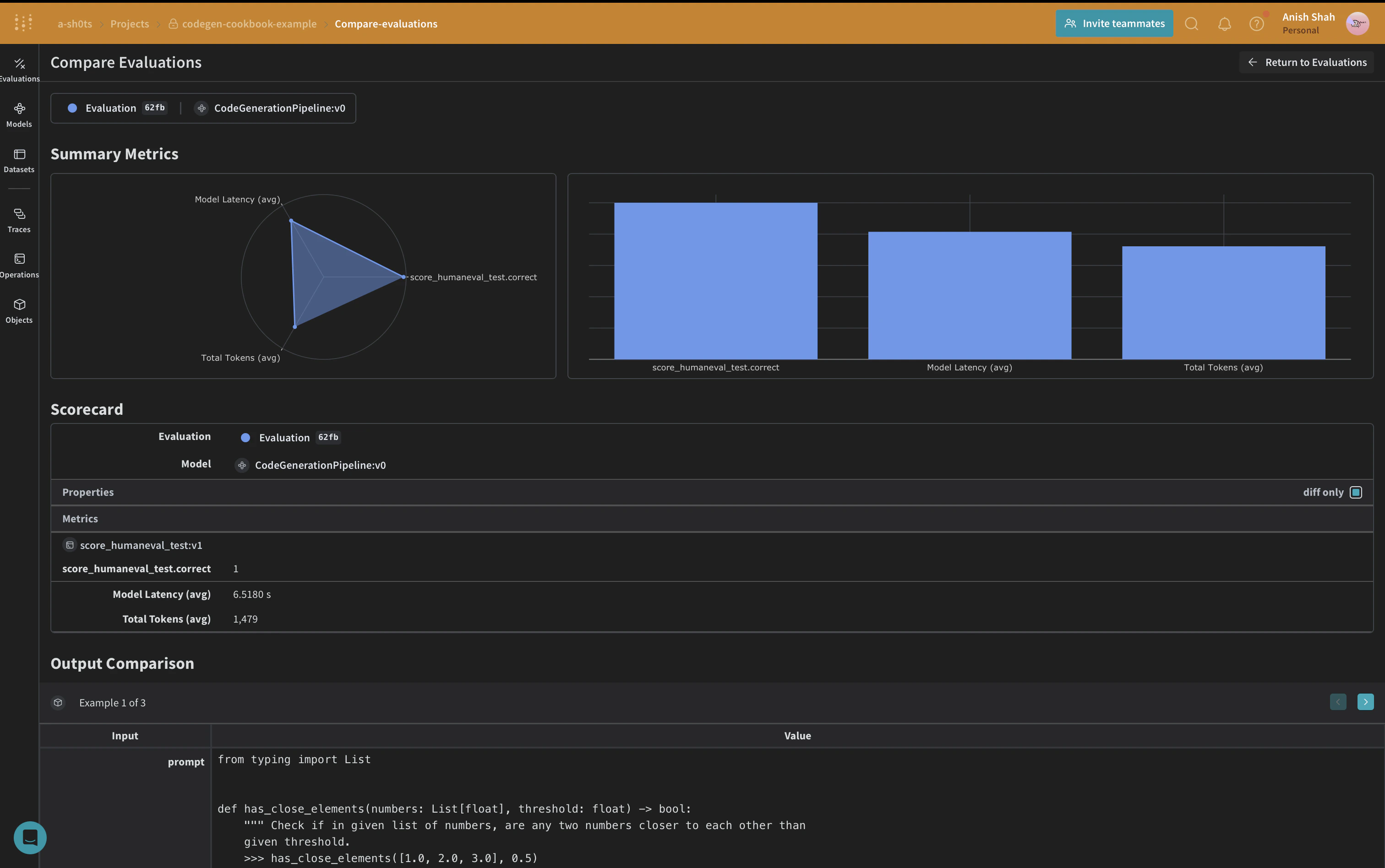
Video Demonstration
For a visual demonstration of the code generation pipeline using Weave, Groq, and E2B check out this video:
This video provides a step-by-step walkthrough of the process, showcasing how Weave integrates with Groq to create a powerful code generation tool and then running the code in E2B, to validate the code. We use OpenAI in the following example, but you can use any LLM provider with Weave.
Why use Weave?
In this tutorial, we’ll use Weave to implement and evaluate a code generation pipeline. You’ll learn how to:- Track your LLM pipeline: Log inputs, outputs, and intermediate steps of your code generation process.
- Evaluate LLM outputs: Create and compare evaluations of your generated code with rich debugging tools and visualizations.
Set up the environment
First, let’s set up our environment and import the necessary libraries:Leveraging Structured Outputs and Pydantic Models
In this code generation pipeline, we utilize OpenAI’s structured outputs mode and Pydantic models to ensure consistent and well-formatted responses from the language model. This approach offers several advantages:- Type Safety: By defining Pydantic models for our expected outputs, we enforce a strict structure for the generated code, program runners, and unit tests.
- Easier Parsing: The structured output mode allows us to directly parse the model’s response into our predefined Pydantic models, reducing the need for complex post-processing.
- Improved Reliability: By specifying the exact format we expect, we reduce the likelihood of unexpected or malformed outputs from the language model.
Implementing a Code Formatter
To ensure consistent and clean code output, we implement aCodeFormatter class using Weave operations. This formatter applies various linting and styling rules to the generated code, program runner, and unit tests.
CodeFormatter class provides several Weave operations to clean and format the generated code:
- Replacing escaped newlines with actual newlines
- Removing unused imports and variables
- Sorting imports
- Applying PEP 8 formatting
- Adding missing imports
Define the CodeGenerationPipeline
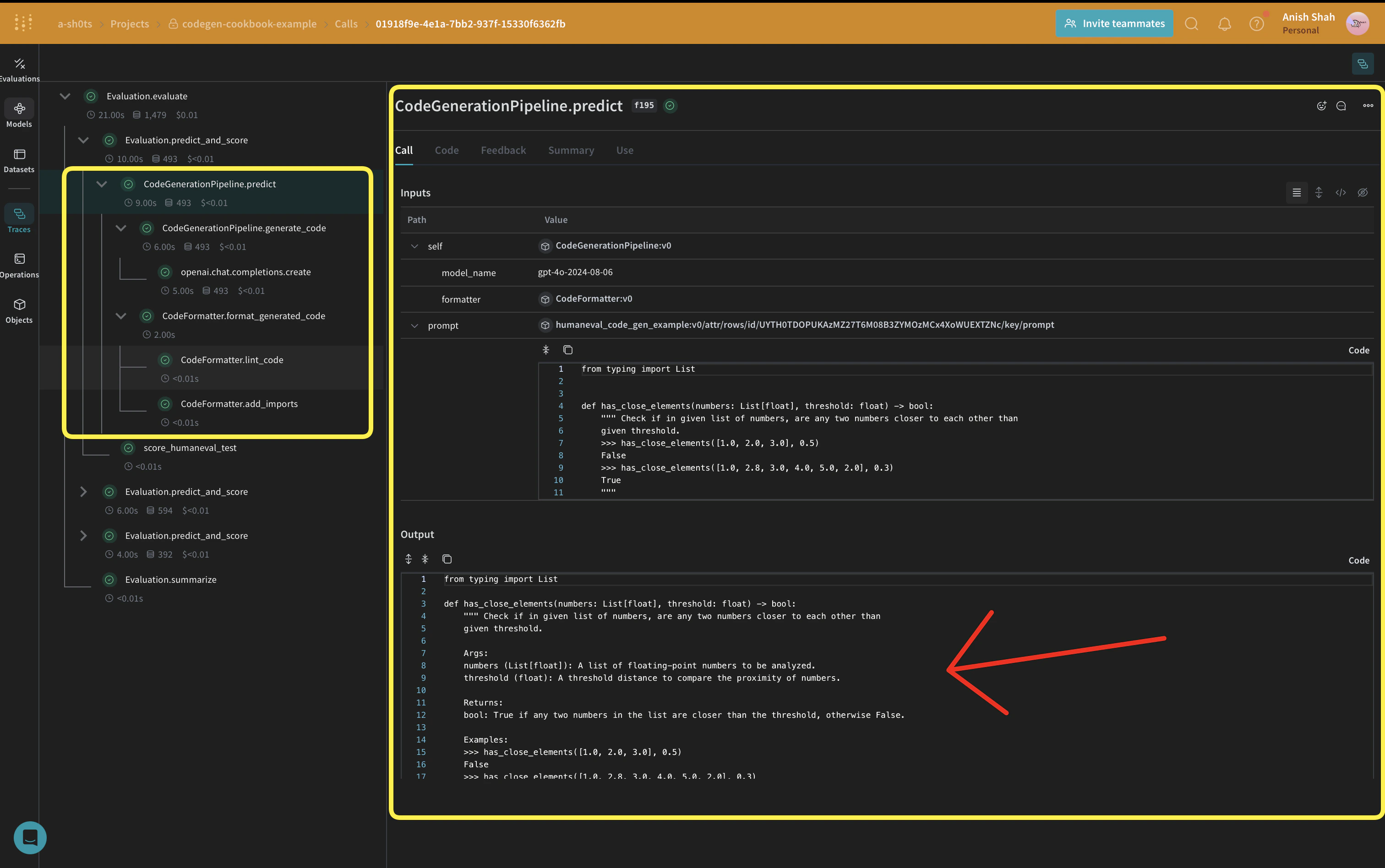
weave.Model so that it’s automatically versioned when it changes. We’re also keeping the model_name as an attribute so that we can experiment with it and easily diff & compare it in Weave. We’re tracking our function calls with @weave.op so the inputs & outputs are logged to help with error tracking and debugging.
CodeGenerationPipeline class encapsulates our code generation logic as a Weave Model, providing several key benefits:
- Automatic experiment tracking: Weave captures inputs, outputs, and parameters for each run of the model.
- Versioning: Changes to the model’s attributes or code are automatically versioned, creating a clear history of how your code generation pipeline evolves over time.
- Reproducibility: The versioning and tracking make it easy to reproduce any previous result or configuration of your code generation pipeline.
- Hyperparameter management: Model attributes (like
model_name) are clearly defined and tracked across different runs, facilitating experimentation. - Integration with Weave ecosystem: Using
weave.Modelallows seamless integration with other Weave tools, such as evaluations and serving capabilities.
Implement evaluation metrics
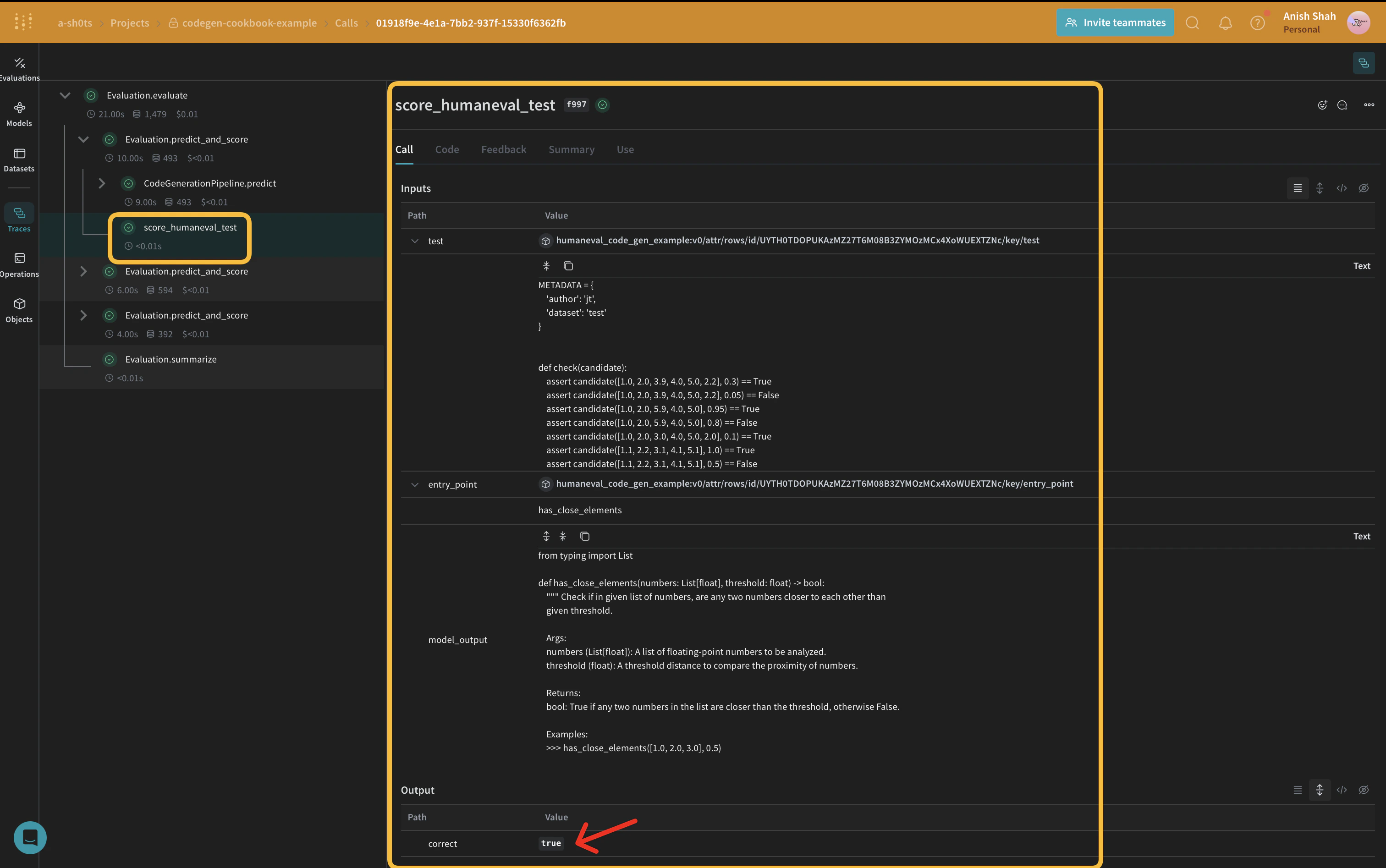
To assess the quality of our generated code, we’ll implement simple evaluation metrics using aweave.Scorer subclass. This will run score on every model_output from our dataset. model_output comes from the output of the predict function in our weave.Model. prompt is taken from our dataset human-eval.
Create a Weave Dataset and run evaluation
To evaluate our pipeline, we’ll create a Weave Dataset and run an evaluation:Conclusion
In this example, we’ve demonstrated how to implement a code generation pipeline using Weave and OpenAI’s language models. We’ve shown how to:- Create Weave operations for each step of the code generation process
- Wrap the pipeline in a Weave Model for easy tracking and evaluation
- Implement custom evaluation metrics using Weave operations
- Create a dataset and run an evaluation of the pipeline